ALT_IMG

Featured 1

Lorem ipsum dolor sit amet, consectetuer adipiscing elit, sed diam nonummy nibh euismod tincidunt ut laoreet dolore magna aliquam erat volutpat. Ut wisi enim ad minim veniam, quis nostrud exerci tation ullamcorper suscipit lobortis nisl ut aliquip ex ea commodo consequat Readmore...

ALT_IMG

Featured 2

Lorem ipsum dolor sit amet, consectetuer adipiscing elit, sed diam nonummy nibh euismod tincidunt ut laoreet dolore magna aliquam erat volutpat. Ut wisi enim ad minim veniam, quis nostrud exerci tation ullamcorper suscipit lobortis nisl ut aliquip ex ea commodo consequat Readmore..

Alt img

Featured 4

Lorem ipsum dolor sit amet, consectetuer adipiscing elit, sed diam nonummy nibh euismod tincidunt ut laoreet dolore magna aliquam erat volutpat. Ut wisi enim ad minim veniam, quis nostrud exerci tation ullamcorper suscipit lobortis nisl ut aliquip ex ea commodo consequat Readmore...

ALT_IMG

Featured 4

Lorem ipsum dolor sit amet, consectetuer adipiscing elit, sed diam nonummy nibh euismod tincidunt ut laoreet dolore magna aliquam erat volutpat. Ut wisi enim ad minim veniam, quis nostrud exerci tation ullamcorper suscipit lobortis nisl ut aliquip ex ea commodo consequat Readmore...

ALT_IMG

Featured 5

Lorem ipsum dolor sit amet, consectetuer adipiscing elit, sed diam nonummy nibh euismod tincidunt ut laoreet dolore magna aliquam erat volutpat. Ut wisi enim ad minim veniam, quis nostrud exerci tation ullamcorper suscipit lobortis nisl ut aliquip ex ea commodo consequat Readmore...

Showing posts with label IDM. Show all posts
Wednesday, 17 April 2013

How to get update in Internet Download Manager (IDM)

0 comments

Internet Download Manager (IDM) is one of the best down loader for Windows. It is widely used to download audio and Video from the Internet.  IDM is used as it is one of the best download Accelerator. It is able to speed up the download up-to 5 times. It supports the resume capability in download. IDM is able to download the streaming Video and audio from the Internet.

Internet download Manager (IDM) supports almost all type of Internet Browser. If you are not getting IDM download link on your browser then you can manually integrate IDM to your Internet Browser. The updated (Latest) version of Internet Download Manager (IDM) supports windows 8.

Also Check: How to add a browser to IDM to create automatically download with IDM

IDM Free download Latest Version


To get a latest version IDM, Just download the latest version of IDM from the IDM Official Website and Install it. The latest version of Internet Download manager is compatible with the Windows 8 and working perfectly. You can register and make that latest version of IDM full version.

Also Check: Latest Version IDM with Serial Key free download 

How to get updates in IDM


To get an updated version IDM you can download the latest version or manually update the Installed Version. Manually update the old one or the latest IDM, both have the same features. To manually update IDM just follow the below steps.
1. Open Internet Download Manager.
2. Click on "Help" on the Menu-bar and then Choose "Check For updates".
3. Wait for sometime to Check the IDM for the available updates.
4. After getting the list of updates it will show you the latest version for update.
5. Click on "Update Now".
6. It will start downloading the update file.
6. After the completion of download it will ask to install the downloaded file.
7. Complete the Installation.
8. After Completion Of Installation it will ask to reboot your system.
9. Reboot your system. After reboot you will able to use the latest version OF IDM
10. That is it.

Also Check: IDM Free Download Full version With Serial Key

Other Similar articles that may Interest you:
1. How to break a Samsung Mobile Password
2. Windows 8 Genuine Activator Free download
3. Create a Ultra hidden and Unsearchable folder in Windows
4. Turbo C++ free download for Windows 7
5. How to break password on a RAR file
6. How to add a folder to the Send To menu in Windows
7. Microsoft .net framework offline installer free download latest version
8. How to hide the Drive name in Windows
9. How to use Internal Hard disk Memory as External RAM
10. Windows 7 ultimate Genuine Key free download

Continue reading →
Sunday, 7 April 2013

IDM Category bar is missing - How to Hide/Show Catgory bar in the left pane of Internet Download Manager

0 comments
IDM Category bar is missing - How to Hide/Show Category bar in the left pane of Internet Download Manager will show you the detail about the Category bar of IDM . How can we hide that category bar and restore back the hidden category bar.


What is IDM category bar:


IDM Category Bar is a small space on the left side of the Internet Download Manager Window that describes the type of the downloaded or downloading file. It Categorize the type of the file you are downloading, Whether the download is complete or not or the downloaded file is in which Queue. IDM category bar has different options. Some of the options are described below:

Also Check: What is IDM Queue Processing in Download Category 

All Downloads: This category shows all the files that are added to Internet Download Manager which is divided into different sub category like Compressed, Documents, Music, Program and Video and arrange the files into the category.
Unfinished: Unfinished Category will show you the files whose download is not complete.
Finished: Finished category will show you the files whose download is completed.
Queues: It shows the list of files that are in the queue.

Some times we close the category bar by mistake. We don't want to use the category bar so we remove it. We can remove or restore that category bar as per our wish from the below process.

Hide/Show the Category bar in Internet Download Manager:


1. Open Internet Download Manager (IDM).
2. Click on "View" on the Menu bar.
3. You will get an option "Hide Categories".
4. Just Tick that option to hide the category bar or Unchecked the option to Show the Category bar.
5. That is it.

Also Check: IDM free download Full version with Serial Key

Other Similar Articles that May Interest You:
1. Windows 8 Genuine Activator Free download
2. How to make Windows 7 Genuine
3. How to do a boot Scan in Windows
4. Turbo C++ Free download for Windows 7
5. Google Chrome offline Installer Free download
6. How to download a You-tube Video
7. How to create a password protected RAR file
8. How to change drive letter in Windows
9. How to add a folder to send to menu of Windows
10. How to create a hidden Unsearchable folder in Windows  
Continue reading →
Tuesday, 2 April 2013

IDM Queue Processing - Create Delete Start Stop Schedule download in IDM Scheduler

0 comments

What is the use of IDM Queue or IDM Scheduler


Internet Download Manager (IDM) queue helps us to download files one after another or simultaneous download by creating Queue. First of all we need to create Queue or add files to the existing Queue. By default two queues are present in IDM Scheduler but we can create a number of queue as our wish. Then we need to add download files to that queue. We can also move files from one queue to another. Then we start the Queue. We can customize the Queue Downloads by putting 1 or more than one file at a time for simultaneous download.

Also Check: How to make Windows 8 Genuine Activated

IDM Scheduler: IDM Queue is one part of the IDM Scheduler. In IDM scheduler we can modify the Queue list. Move files up and down inside the Queue and also move files from one queue to another. We can also create a Schedule download or a periodic download for IDM (Internet Download Manager). To open IDM Scheduler Click on "Downloads" on the Menu bar and then Choose "Scheduler".

Also Check: IDM Free download with Serial Key latest version

How to create or delete a Queue and Modify the setting on the Queue of Internet Download Manager


1. Open "Internet Download Manager".
2. Right Click on "Queue" on the Category bar present left side of Internet Download Manager (IDM) and click on "Create a New Queue"
3. It will ask a name for the new Queue. Just Enter a name for that Queue. (Default name is Queue #* )
4. Click On "OK". A new key with that name will be created.
5. To modify a Queue Just Right Click on the Queue name and Choose "Edit Queue". It will open that Queue in Scheduler where you can modify its setting. There you will find to choose the number of files that will download simultaneously at a time. You can up-down the added files on that queue.
6. To start or stop a queue at a particular time or create a schedule time to download or stop download just Just Right Click on the Queue name and Choose "Schedule" and modify the setting.
7. To delete the Queue Just Right Click on the Queue name on the Category pane in the left side of IDM and then choose "Delete Queue"

How to add a File to a Queue in IDM


1. First start then stop the download of the files.
2. You will get the list of these incomplete download files in Internet Download Manager (In the Category of All Downloads or Unfinished in the left side category bar)
3. By default all the files are in the Main Download Queue.
4. To move a file to another Queue. Just Select that , Right Click of Mouse on it and Choose "Move To Queue" and then select the Queue where you want to move that.
5. You can create as much Queue as you want and also delete the created queue.

Also Check: Typing Master Pro v7.0 with Serial Key free download

How to Start or Stop a Queue


To start or stop a Queue Just Choose the Queue from the left side Category bar, Right Click of mouse on it and click on Start Queue or Stop Queue.

You can also Start or Stop the Queue from the Menu bar of IDM. Just Click on the small downward arrow present right to the "Start Queue" and "Stop Queue" to see the available list of queue and start or stop it from there.

Also Check: How to create a Hidden unsearchable folder in Windows 8

Continue reading →
Friday, 21 December 2012

[Update] IDM 6.16 with serial key free download full crack patch and keygen Latest version 2013

8 comments
What is new in Internet Download Manager v 6.15 and How to make it a full version
Internet Download Manager v6.16. Is Windows 8 compatible. Fixed compatibility problems with different browsers including Internet Explorer 10, all Mozilla Firefox versions up to Mozilla Firefox Aurora, Google Chrome. Improved FLV grabber to save videos from web players on YouTube,  Google Video, MySpace TV, and other popular sites

Download Link: http://www.internetdownloadmanager.com/download.html

How to make IDM v 6.16 Full version with the serial key using the Crack method and Keygen
To make your IDM full version we have to complete the three steps. After completion of these steps Internet Download Manager will be registered for a lifetime and work similar to genuine and work with full features.
  • Take the ownership of the hosts file 
  • Modify the hosts file
  • Enter the serial key and Make IDM full version

Also Check: How to increase the speed of torrent download

Why and how to take ownership of the hosts file
If we don't change the ownership of the hosts file to our local user (On which you are currently logged in) then we are unable to modify it. Without modification the Crack process will not work.
Process: Navigate to C:\WINDOWS\system32\drivers\etc and change the ownership of the "hosts" file to your local user.

Also Check: How to take ownership of the hosts file in Windows XP and Seven and Windows 8

What to modify in the Hosts file
After taking the ownership, Open the Hosts file with notepad. Copy the below text (the text that are on bold letter) and paste it  and save the hosts file.
127.0.0.1 tonec.com
127.0.0.1 www.tonec.com
127.0.0.1 registeridm.com
127.0.0.1 www.registeridm.com
127.0.0.1 secure.registeridm.com
127.0.0.1 internetdownloadmanager.com
127.0.0.1 www.internetdownloadmanager.com
127.0.0.1 secure.internetdownloadmanager.com
127.0.0.1 mirror.internetdownloadmanager.com
127.0.0.1 mirror2.internetdownloadmanager.com

Enter the Serial Key and Make Internet Download Manager full version
1. Open Internet Download Manager -> Registration (On Menubar) -> Registration
2. Enter the First name, Last name and the Email address n the required box.
3. Now copy one set of the serial key from below and paste it on the Serial key box.
     RLDGN-OV9WU-5W589-6VZH1
     HUDWE-UO689-6D27B-YM28M
     UK3DV-E0MNW-MLQYX-GENA1
     398ND-QNAGY-CMMZU-ZPI39
     GZLJY-X50S3-0S20D-NFRF9
     W3J5U-8U66N-D0B9M-54SLM
     EC0Q6-QN7UH-5S3JB-YZMEK
     UVQW0-X54FE-QW35Q-SNZF5
     FJJTJ-J0FLF-QCVBK-A287M

Also Check: How to password protect a website in Windows Xp, Vista, Seven and Eight

4. Now click on OK to register your IDM for life time.
5. It will show a warning message that one of the system file is damage. Ignore the message and Click "Cancel" . Never Choose continue. That is it. Now your IDM is registered.

Note: It is better not to update your IDM to use it as genuine.

Also Check: Free download Full Version IDM

Other Similar articles that may interest you:

1. Microsoft Office Word 2010 working Keyboard shortcut keys
2. How to download a you-tube video using IDM
3. How to change the name of the Windows drive from Local disk to any other name
4. Google Chrome latest version free download
5. How to customize the Win-zip Command on the context menu of Windows.
6. Add Open With notepad option to context menu as a shortcut in Windows 7
7. How to take a screen shot from the Windows seven desktop.
8. How to move the details pane to top from bottom in Windows 7
9. How to install a registry file in Windows 7 ultimate
10. Finger arrangement in keyboard to become a fast typist

Update Notice: Last Updated on 28th April 2013

Continue reading →
Wednesday, 7 March 2012

How to make any version of IDM registered full version with the serial key and Crack

36 comments
Internet Download Manager is used in Windows to Download Files from Internet at High Speed. Its new versions are always released with some special features. It is also capable of download the live streaming flash audio and video files. The below process will describe the step by step instruction to make any Newly launched IDM full version using Some Serial Key, Patch, Keygen or Crack.

Also See:  How to increase the speed of torrent download without using any 3rd Party application

Download Link: http://www.internetdownloadmanager.com/download.html
UPDATE: IDM latest v6.16 free download with serial key and Crack

Process to make any Latest Version IDM full Version

1. Download and Install the latest version IDM and open it.
2. Navigate to  "C:\Windows\System32\drivers\etc" on your computer.
3. In the "etc" folder you will find a file with name "hosts"
4. Now right click on the Hosts file and choose "properties" and Navigate to "security" tab on the property window.
5. Now click on "Advanced" and Navigate to "owner" tab on the Advanced Security Option.
6. Click on "edit".
7. A new window will be opened. There you will find a table asking for "change Owner to". Now change there to your local user on which you logged on.(e.g. USER-PC or anything on your system. Not the Administrator user)
8. Below that you will find an check box "replace owner on sub containers and objects".
9. Just tick the check box.
10. Now apply all the modified setting. During apply the changes it will show an message "You dont have the permission to read the file or the contents of the directory. Do you want to change the permission of the file or folder to full control. All permission will be replaced if you press ok". Just Ignore the message and press OK.
11. Now again Right click of mouse on the "Hosts" file and choose "properties" then Navigate to "security" tab.
12. Now click On "Edit" on the  "Group or User Names" section.
13. A new window for permission will be opened.In the permission window choose the logged or local user and  in the "Permission For User"  tab  tick on "Full Control".

Also Check: How to take ownership of the hosts file in Windows 8

14. Now apply those changes. And click on "ok"
15. Now open the "Hosts" file with notepad and Copy the below bold letters and paste it in the hosts file.

127.0.0.1 tonec.com
127.0.0.1 www.tonec.com
127.0.0.1 registeridm.com
127.0.0.1 www.registeridm.com
127.0.0.1 secure.registeridm.com
127.0.0.1 internetdownloadmanager.com
127.0.0.1 www.internetdownloadmanager.com
127.0.0.1 secure.internetdownloadmanager.com
127.0.0.1 mirror.internetdownloadmanager.com
127.0.0.1 mirror2.internetdownloadmanager.com

Also Check: How to enable Graph Search on Facebook

16. Now save the hosts file. If you are experiencing difficulty in saving the hosts file then you must learn about take the ownership of the file. After taking the ownership it will be saved easily.
17. Now open Your Installed IDM application.  Click on "registration" on the menu bar and choose "Registration".


18. When you click on registration, Now a new window Will be open ask your First Name, Last Name, Email Address and Serial Key.
19. Enter your First name, Last Name, Email address in the required field. In the serial key field enter any of the following given below
   
     RLDGN-OV9WU-5W589-6VZH1
     HUDWE-UO689-6D27B-YM28M
     UK3DV-E0MNW-MLQYX-GENA1
     398ND-QNAGY-CMMZU-ZPI39
     GZLJY-X50S3-0S20D-NFRF9
     W3J5U-8U66N-D0B9M-54SLM
     EC0Q6-QN7UH-5S3JB-YZMEK
     UVQW0-X54FE-QW35Q-SNZF5
     FJJTJ-J0FLF-QCVBK-A287M

20. And click on OK to register.
21. It will show a warning message that one of the system file is damage. Ignore the message and Click "Cancel" . Never Choose continue. That is it. Now your IDM is registered.


Note: If you are experiencing any problem then follow this process describe at IDM all Version Working Serial key free download.
Continue reading →
Saturday, 22 October 2011

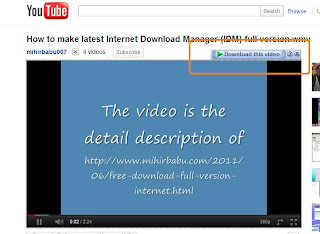
How to download a Youtube video or audio or any file using IDM (Internet Download Manager)

1 comments
Internet Download Manager is one of the down-loader that people are using for download various audio, video or any other type of file from the internet. To download any file from the internet via IDM, then our browser (Internet explorer, Google Chrome, Mozilla Firefox, Apple Safari, Opera, Netscape etc.) should be integrated with IDM.

Also Check: How to enable Graph Search on Facebook

When any browser is integrated with IDM, then whenever we try to download something automatically it will download in IDM. No need to do any thing. If it comes in general download then the website may not support the down-loader  One of the most important feature of IDM is whenever we are playing any video or audio live streaming then an additional download option is shown at the side of the video screen. This will help us to download from you-tube.

How to integrate or add or remove any browser from IDM (Browser and system integration feature):
1. Open Internet Download Manager.
2. Click on "Downloads" on Menu bar of IDM.
3. Choose "Option"
4. A pop up window "Internet Download Manager Configuration" will be opened.
5. Navigate to "General" tab.
6. tick the check box "Use advanced browser Integration"
7. Now select the browsers that you want to integrate with IDM and tick on the check boxes.

It almost support all the browsers like Internet Explorer, Google chrome, Mozilla Firefox, Apple Safari, Opera, Netscape navigator etc..

Also See: List Of Top Ten Web browser for Windows

8. if you are using any other browser except the above then you can add that by "Add browser" option.
9. After selecting the browser you want to integrate. Apply the changes and press OK.
10. Now close all the open windows and Application and reboot your system .
After reboot you will find that IDM is associated with all the browser that you are integrated for download.

Other Similar articles that may interest you:
1. Keyboard shortcut keys on MS-office Power Point
2. How to Increase the torrent download speed
3. Add "Task manager" to" context menu of Windows
4. Add or remove desktop icon in windows
5. Break Administrator and user login Password in Windows
6. Change Boot-Screen, start up logo and log-in Screen in Windows
7. Definition of User Account in windows
8. Customize the power button action in windows Seven start menu
9. Serial key of typing master Pro V7.0 free download
10. What was new in Internet Explorer 9
Continue reading →
Sunday, 26 June 2011

Free Download Full Version Internet Download Manager (IDM) with Serial Key, Crack, Patch and Keygen

31 comments
UPDATE: Latest version IDM v6.16 with serial key free download full version

You can Free Download Full Version IDM with serial key from here.You have to complete the below steps using the serial key and crack process to make your IDM full version. Below steps will describe that how to register your IDM to use it as a Full version for life time. After doing the crack process you need to enter the serial key and complete all the steps written here. Read the entire steps carefully and complete till last to make your IDM registered.

Download Link:   http://www.internetdownloadmanager.com/download.html


Process to use serial key on All Versions of Internet Download Manager

1.Install any version of IDM and open it.
2. Now click on "registration" on the menu bar.
3. When you click on registration, Now a new window Will be open ask your First Name, Last Name, Email Address and Serial Key.
IDM registration key or Serial key
4. Enter your First name, Last Name, Email address in the required field.
5. In the serial key field enter any of the following given below
  
     RLDGN-OV9WU-5W589-6VZH1
     HUDWE-UO689-6D27B-YM28M
     UK3DV-E0MNW-MLQYX-GENA1
     398ND-QNAGY-CMMZU-ZPI39
     GZLJY-X50S3-0S20D-NFRF9
     W3J5U-8U66N-D0B9M-54SLM
     EC0Q6-QN7UH-5S3JB-YZMEK
     UVQW0-X54FE-QW35Q-SNZF5
     FJJTJ-J0FLF-QCVBK-A287M

    And click on "OK" to register.

6. After you click "OK", it will show an error message " IDM has been registered with a fake Serial Number or the Serial number has been blocked. IDM is exiting.".

IDM registered with a fake serial key

7. Go to  C:\Windows\System32\drivers\etc
8..in the Etc folder you will see the "hosts" file. Open the file with notepad. Now copy the below lines of code and add to hosts file as shown below the image box :

Also Check: How to password protect a website using AVAST Antivirus

127.0.0.1 tonec.com
127.0.0.1 www.tonec.com
127.0.0.1 registeridm.com
127.0.0.1 www.registeridm.com
127.0.0.1 secure.registeridm.com
127.0.0.1 internetdownloadmanager.com
127.0.0.1 www.internetdownloadmanager.com
127.0.0.1 secure.internetdownloadmanager.com
127.0.0.1 mirror.internetdownloadmanager.com
127.0.0.1 mirror2.internetdownloadmanager.com

Modify the host file to make idm full version

9. After adding these codes, save the notepad file. And exit from there. Now again repeat the 2nd step to 5th step. Restart your PC. After restart Now open your IDM it will be full version and not ask you to register.


NOTE: In windows vista and seven and eight we are not able to save the "hosts" file  due to security reason.So, First take the ownership of the hosts file to your logged user then modify it.


Update Info: Last Update on 22nd June 2013

Continue reading →

Followers